Donors & Sponsors Portal: Step-by-Step Guide
Effective date: 21st April 2026 – Human Development Foundation (HDF Mercy Centre) Registered Charity No. 190 (Thailand)
Thank you for your generous support! To give you full control over your contributions, we provide a Customer Portal. This guide will show you how to manage your sponsorship, update your details, and download your tax receipts.
1. How to Access Your Portal
When you first become a sponsor, you will receive an email with the subject: “Invitation to Mercy Centre Client Portal.”
- Step 1: Open the email and click the Access Portal link.
- Step 2: Set your password.
- Step 3: Log in using your email address and the password you created.
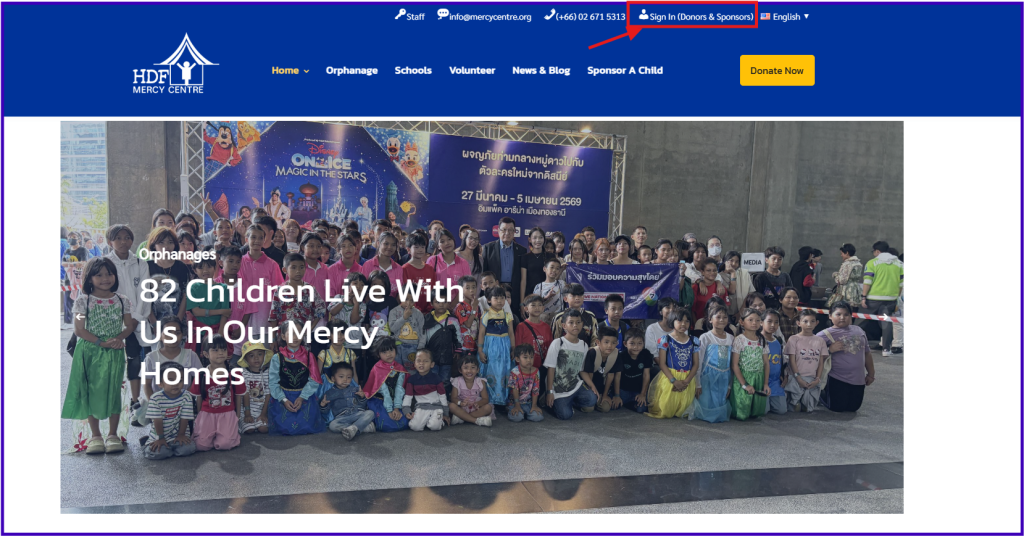
Note: In the future, you can sign in from the homepage, in the top right corner, you will see a link, titled: “Sign In (Donors & Sponsors)”
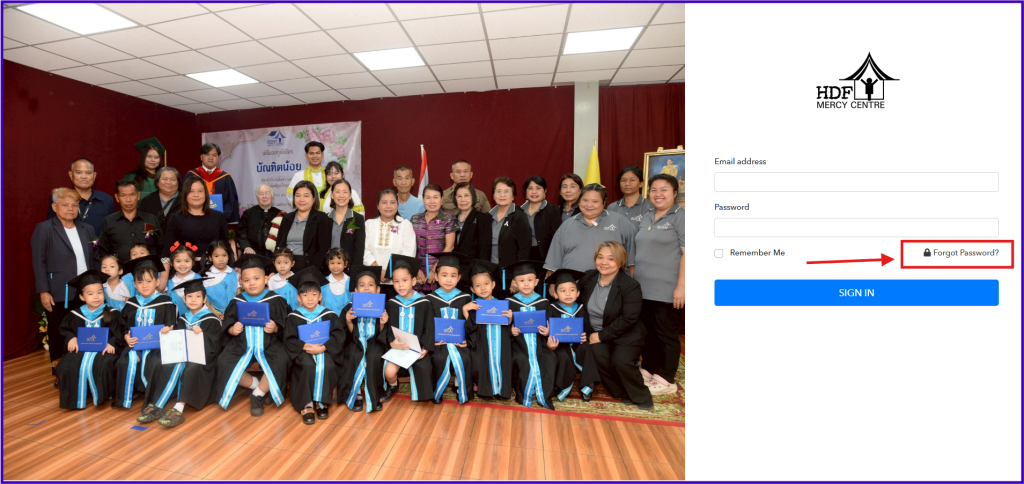
Note: If you’ve lost your invitation link, please visit our portal login page and click “Forgot Password.”
2. Updating Your Payment Method
If your credit card is expiring or you’d like to switch to a different account:
- Log in and click the Payment Method tab on the left-hand menu.
- You will see your current card on file. Click the “Add New Card” button.
- Enter your new details and click Save.
- Your next scheduled contribution will automatically use this updated card.

3. Downloading Your Tax Receipts (Invoices)
Need a record of your donations for your financial records?
- Click the Invoices tab on the left sidebar.
- You will see a list of all successful contributions.
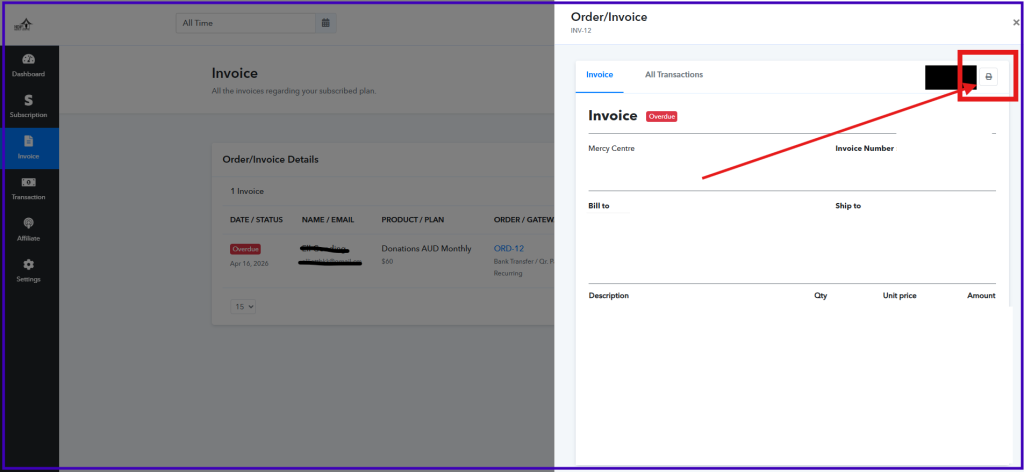
- Click the Download (PDF) icon next to any transaction to save your receipt.
1. Click the Invoices tab on the left sidebar.

2. You will see a list of all successful contributions.
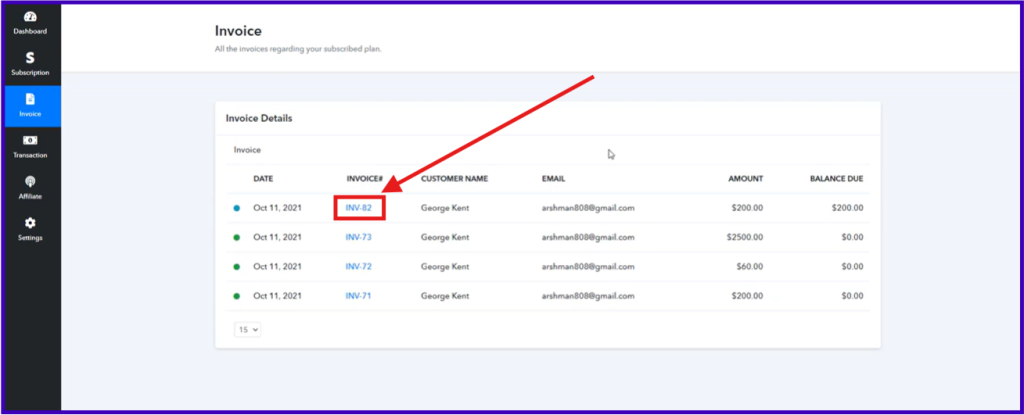
3. Click the Download (PDF) icon next to any transaction to save your receipt.
4. Changing Your Sponsorship Level
If you wish to increase or adjust your monthly support:
- Navigate to the Subscriptions tab.
- Find your active plan and click the “Edit” (pencil) icon.
- Select your new desired sponsorship level from the dropdown menu.
- Review the changes and click Update.

5. Managing Your Profile
To ensure your tax receipts and correspondence reach the right place:
- Click on Account Settings or your profile name in the top right corner.
- Update your name, billing address, or contact information.
- Click Save Changes.

6. Need Help?
If you have any trouble accessing the portal or need assistance, please contact our support team at [email protected].
Thank you for making a difference!